

Find your card revision
Look for the Rev. marking on the back of the physical card:
This guide concerns the physical card. To identify the card you hold, check its printed revision mark. For the separate PDF download, see Digital ID copy.
If your card has another revision mark, contact RNS.ID Support for guidance. This page illustrates the two revisions named above.
Sample cards
The following images are design references. The SAMPLE and NOT VALID FOR IDENTIFICATION markings identify them as illustrations and are not features of an issued card. Sample names, portraits, numbers, and dates are illustrative; they do not establish a revision’s launch date, the validity terms currently offered, or the status of any individual card. The images are resized for web display and do not reproduce every fine detail or physical security effect of an issued card.Rev. 2023-B
Front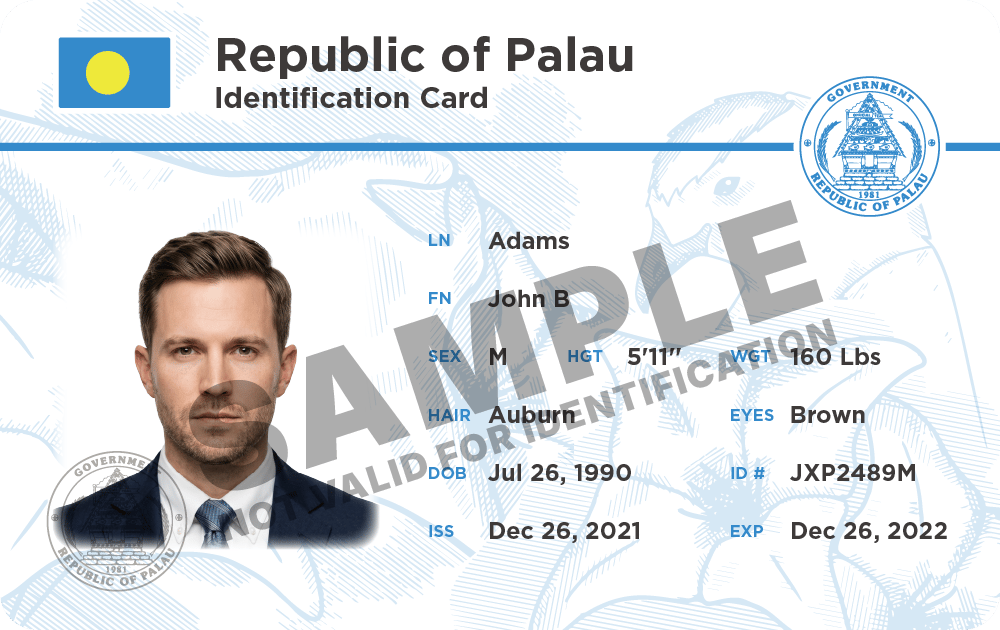
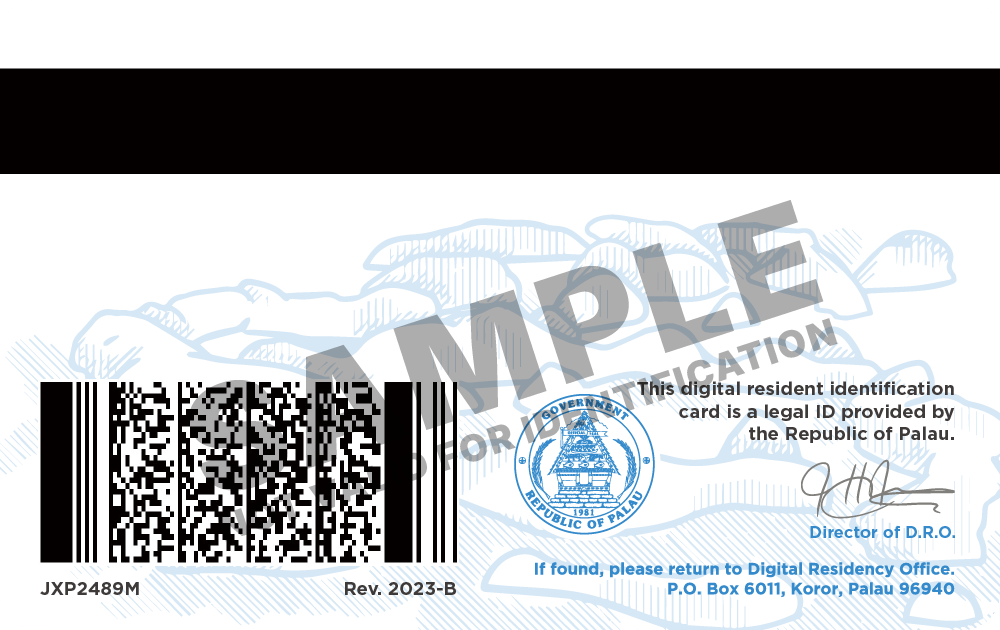
Rev. 2026-A
Front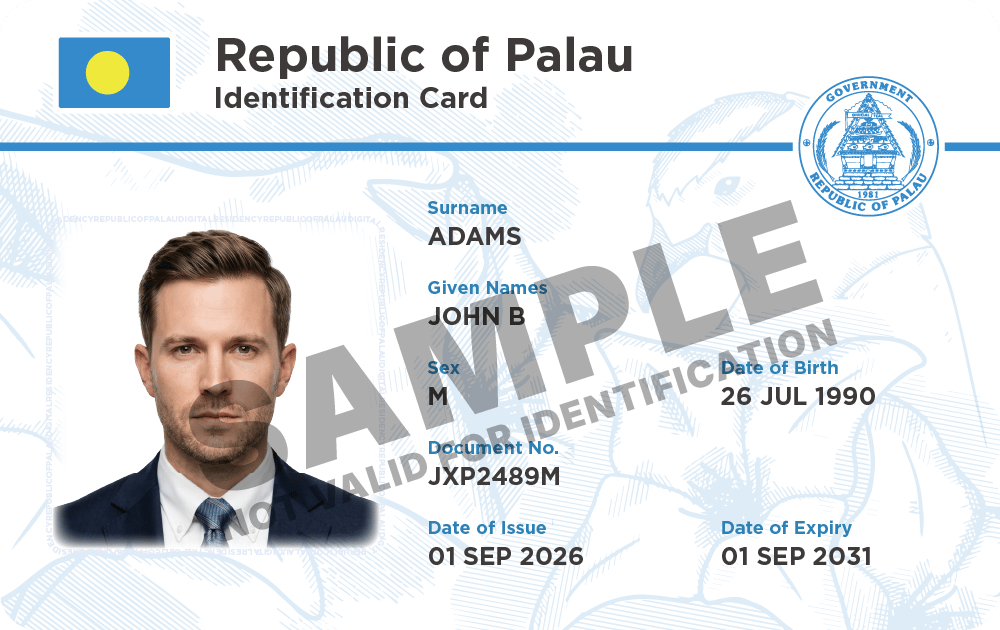
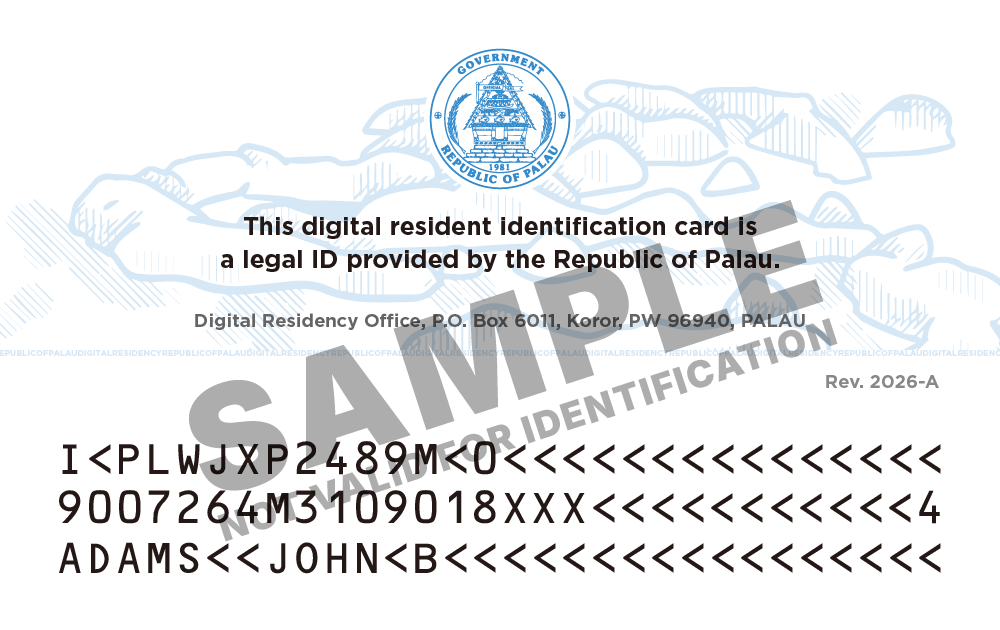
Main visible differences
This comparison describes the normal appearance shown in the sample cards.
The machine-readable zone, or MRZ, is the block of letters, numbers, and
< characters on the back of 2026-A.
Security features
Both revisions include physical security features. Some are not readily visible under normal lighting, and photographs or scans do not fully reproduce their appearance.
Color-shifting ink: Tilt the physical card to observe the color change in the horizontal line on the front.
UV-fluorescent printing: Both revisions have fluorescent designs on the front and back that become visible under ultraviolet (UV) light.
Microprinting: Rev. 2026-A includes very small text that can be examined with magnification.
If the printing on your card is unclear, the card appears damaged, or you have concerns about its security features, contact RNS.ID Support. Follow Support’s secure submission instructions if identity evidence is requested.